The Best Small Updates Apple Didn’t Mention at WWDC
Apple’s Worldwide Developers Conference (WWDC) was packed with major announcements, but several smaller updates also deserve attention. Here are some of the highlights from the first round of betas for iOS 18, macOS Sequoia, and other Apple software updates:
1. Animated Bezels on iPhone
In iOS 18, pressing the side buttons on your iPhone now triggers a clever animation that makes it appear as if you’re pushing the bezel into the screen. While whimsical, this feature could serve as a practical visual cue, especially if Apple moves towards solid-state side buttons that simulate clicks with vibrations.
2. Spanglish Typing Support
Bilingual users can now type in two languages simultaneously on iOS 18 without switching keyboard settings. This reduces the occurrence of incorrect autocorrects when mixing languages like English and Spanish.
3. Enhanced Flashlight Controls
The flashlight app in iOS 18 beta for iPhone 15 Pro models now includes a dynamic control feature. Tapping the flashlight icon brings up an animation where you can swipe vertically to adjust brightness and horizontally to change the beam shape.
4. Improved Widget Customization
Resizing widgets in iOS 18 has become more intuitive. Long-pressing a widget now brings up size options directly in the contextual menu, simplifying the process of adjusting widget dimensions.
5. Keyboard Visibility in Vision Pro
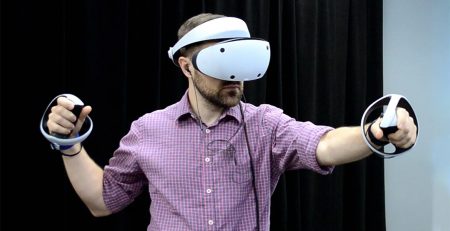
For the Vision Pro headset, a quality-of-life improvement now displays your keyboard when fully immersed in a virtual environment. This feature is primarily designed for the Magic Keyboard and enhances the usability of the headset for tasks requiring typing.
6. Macintosh Wallpapers in macOS Sequoia
macOS Sequoia introduces nostalgic “Macintosh” wallpapers with pleasant animations, adding a touch of classic Apple charm to your desktop.
7. Voicemail Transcriptions in Notifications
iOS 18 beta users can now see voicemail transcriptions directly within notifications, reducing the number of taps needed to access voicemail content.
8. Granular Charging Limit Options
iPhone 15 users can now set more precise charging limits. Instead of the previous option to limit charging to 80%, there’s now a slider that allows adjustments in 5% increments between 80% and 100%.
These updates, though not highlighted in the WWDC keynote, enhance the user experience across various Apple devices. If you’re eager to try out these new features, you can join Apple’s developer program and install the beta versions, but be sure to back up your device and be aware of potential bugs.
Stay plugged into the gaming pulse, and anticipate the thrill of new adventures and the nostalgia of departing classics. For the freshest updates, keep an eye on Lavegagames.com